
WORK REPORT APP
Save time and improve your processes with itcons.app: cloud-based digital work reports.
- Choose and edit a template and complete any type of work report in the cloud
- Manage maintenance more efficiently with the work orders module
- Manage absences in your company, from requests to leave balances and vacation summaries
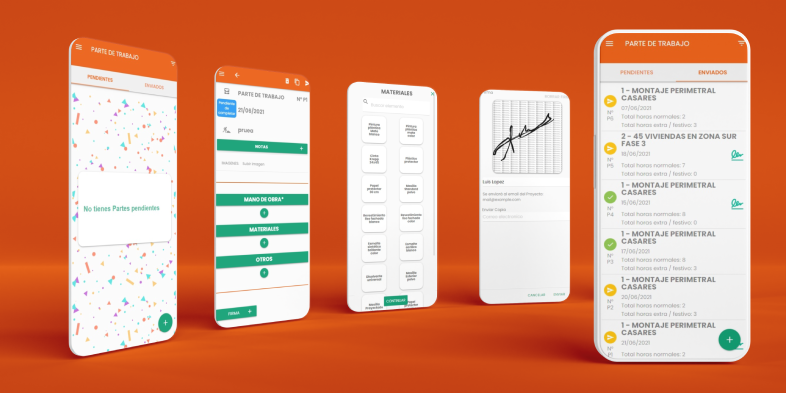

Install the app
Itcons.app has more than 50,000 downloads and works across platforms.



Work reports stop getting lost on paper and start moving in real time.
Install the app
Itcons.app has more than 50,000 downloads and works across platforms.
Ready-to-use report templates.
Start with ready-made templates for construction sites, maintenance, incidents, transport, expenses, inspections, or technical service. Duplicate, adapt, and launch the template that best fits your company.
Daily report
General template for recording workday, completed work, and materials used.
Ready-to-use work report templates
Choose from dozens of work-hour report examples from the template gallery, configure them to your needs, and have work reports ready to fill in according to your company requirements. You can create as many templates as you need.
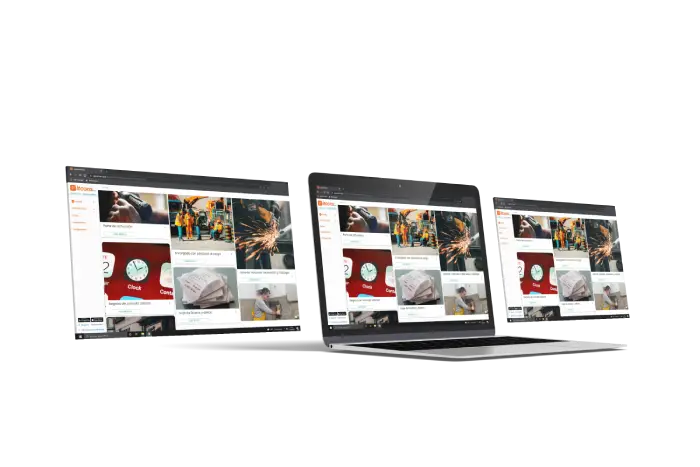

Break away from paper. Move to itcons.app
Create and send work reports quickly and easily
A simplified experience so mobile users only need to fill out work reports clearly and easily using the plantilla de work report.
What our customers say
We have been using this app since 2018, and what stands out most is the immediate technical support they provide to solve any issue.
Sarah
I use the app to review the work delivery notes our company sends to customers.
Emily
A great discovery. We have been using it for several years and it greatly simplifies incident management and work reports from field operators. It is easy to implement and digitizes the whole process, with reports for all completed work by operator, project, and more.
Michael
It helps us every day with work report control. It adapts perfectly to any work model and can be integrated with external information systems thanks to their development team.
James
A very good app for time tracking, work reports, and delivery notes. You need to configure the design, but it is very versatile.
Rachel
Work reports
A work report is a document that lets people in an organization add business information to the company management system. It usually groups the tasks or work completed during a workday.
Service report
In itcons.app you can create a service report as a report template. Link this template to the type of work order you need. Service reports are useful for maintenance and installation companies.
Time tracking
Time tracking records attendance during a workday. You can turn your work report template into a time tracking system by adding time fields, such as clock-in and clock-out, and optionally GPS location to know the exact place and time of each entry.
Design any template
With the editor, you can design any type of work report template, delivery note template y custom delivery notes, service reports, and checklists.
View more work report templates ⮕
Create work report templates that fit your company
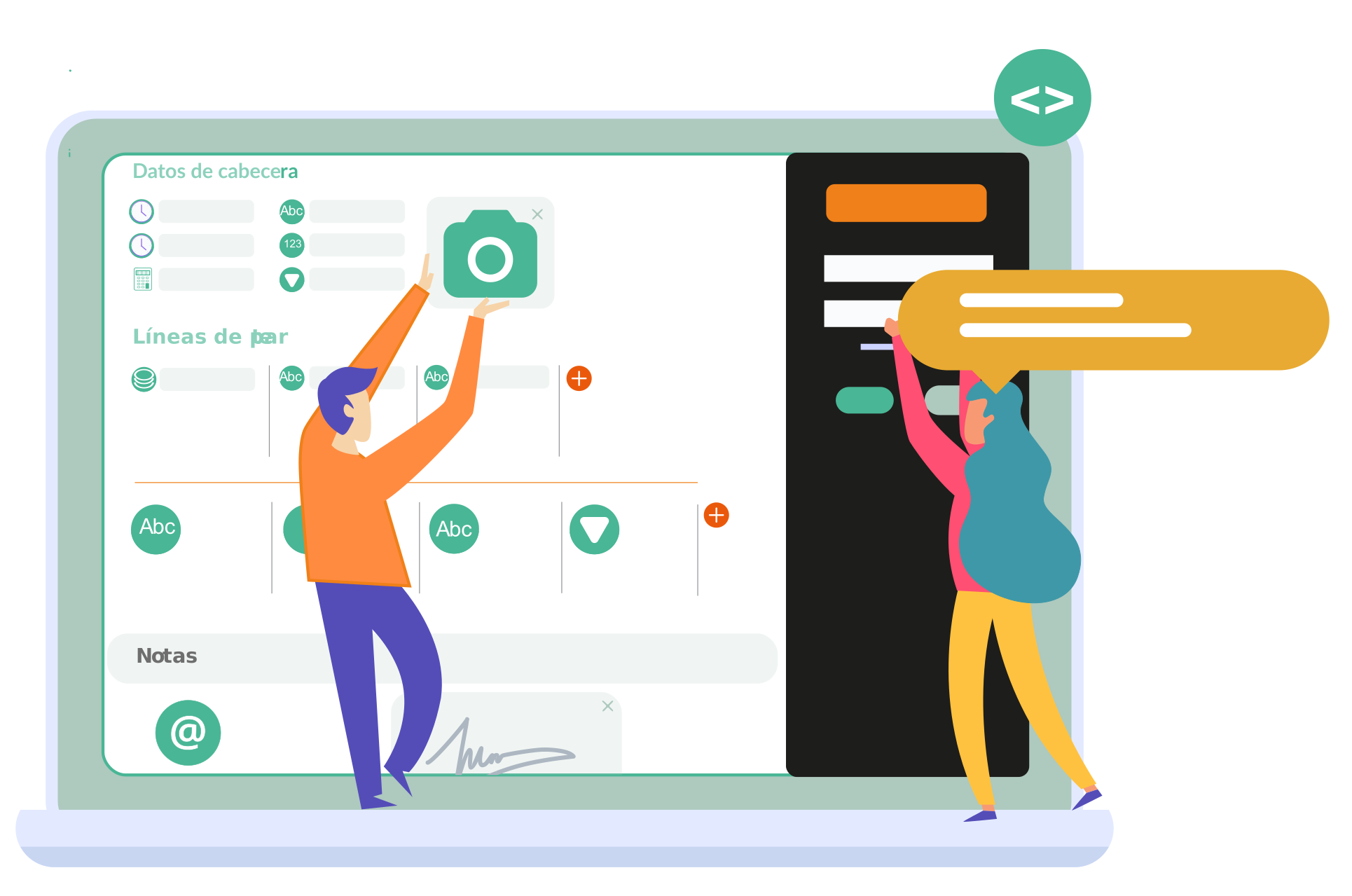
Configure the work report template with the fields your company really needs and combine different data types in a single editor.
Time
Create as many time fields as you need, configure GPS location capture, and choose whether time works in 15-minute intervals or minute by minute. Learn more about time fields
Options list
You can create dropdowns with the options you need. These lists can be fixed elements defined in the report template or dynamically updated as resources. Options list
Date
You can add a date field to record dates in a work report. In any case, all itcons.app work report templates include a default date field to indicate the date the submitted report refers to. Learn more
Images
Add images to your work reports and record graphic evidence for all work or documents to be delivered.
Location
In itcons.app you can enable geolocation for each time field. This lets you know the actual time and location where a time entry was recorded.
And many other data types
In addition to the fields above, you can combine other data types to adapt the digital work report to your company workflow and each type of service.
Extra settings
Enable work report signatures, make them mandatory, limit reports to one per day, user, and project, share a work report, and more.
What type of document can I design?
Work reports
A work report adds business information to the company system and records the tasks or work completed during a workday.
Service report
Create a service report as a report template and link it to the type of work order you need for maintenance, installations, and technical interventions.
Time tracking
Add time and GPS fields to record clock-ins, clock-outs, and location, and turn your template into an employee time tracking system.
Design any template
With the editor, you can design work report templates, custom delivery notes, service reports, checklists, and other documents adapted to your operations.
Manage your company from these three modules
Modules can be enabled or disabled from site settings and work together in an integrated way.
Work reports →
Report on completed work
Report work based on the defined work report templates. This module is the core of itcons.app and captures the information entered or prepared in the field by users working away from the office.
Users can fill it in after the work is complete or during the workday, from the Android app, iOS app, or web. You also get an automatic daily work report PDF.
Absence, vacation, sick leave, and permit management →
Control over non-working days
Este módulo sirve para la gestión del saldo de vacaciones disponible, la solicitud y aceptación de absences y para poder conocer de una forma más óptima los días de ausencia y reducir el tiempo dedicado a esta gestión.
This module can be enabled or disabled.
Work order management and assignment →
Prior assignment of work
This module lets you create and manage incidents, maintenance tasks, and work orders. From the office, work orders are created and assigned to the users responsible for carrying out the work.
Once the work is completed, the user fills in a work report and it is linked to the work orders. This module can be enabled or disabled.
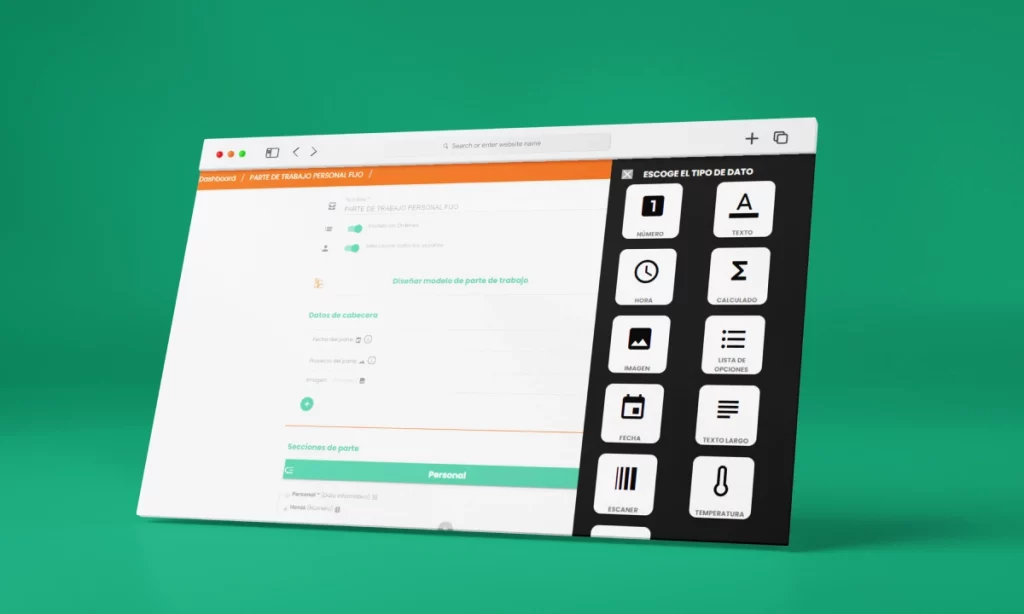
Create work report templates that fit your company
Time
Create as many time fields as you need, configure GPS location capture, and choose whether time works in 15-minute intervals or minute by minute. Learn more about time fields
Options list
You can create dropdowns with the options you need. These lists can be fixed elements defined in the report template or dynamically updated as resources. Options list
Date
You can add a date field to record dates in a work report. In any case, all itcons.app work report templates include a default date field to indicate the date the submitted report refers to. Learn more
Images
Add images to your work reports and record graphic evidence for all work or documents to be delivered.
Location
En itcons.app puedes activar la geolocalización en cada dato del tipo hora. Así por ejemplo conocer a que hora realmente se ha registrado un dato hora y desde que ubicación.
Y otros tipos de datos más
En itcons.app puedes activar la geolocalización en cada dato del tipo hora. Así por ejemplo conocer a que hora realmente se ha registrado un dato hora y desde que ubicación.
Extra settings
Enable work report signatures, make them mandatory, limit reports to one per day, user, and project, share a work report, and more.
Useful for every
company size and structure
From small businesses to large companies, each one with its ideal Itcons setup
Thanks to its configuration options and work report template editor, itcons.app can be used across different industries and CMMS maintenance, even for different purposes within the same industry.
In terms of company size, itcons.app is used by freelancers, microbusinesses, and large companies. Each company size requires a different setup or benefits more from certain features. Ask our support team about your ideal configuration.
Frequently asked questions
Our support team is always available to answer any questions. Here are the most common questions from companies.
Can I use itcons.app for free?
Itcons.app includes a basic plan that lets you use the platform without subscribing to a paid plan. This plan is designed for occasional work records or even for using itcons.app only as an absence management system. View usage plans.
Can I use itcons.app without commitment?
Yes. You only need to create a site to try and test it for as long as you need and with the users you require.
How do I implement itcons.app in my company?
It is hard to answer without knowing the specific case, but at itcons.app we recommend this roadmap:
- Create a first version of your report template. Define the work report template, keeping in mind that entering data on paper is not the same as using an app. Minimize the information the user must enter and maximize the value of the data recorded in the app. Create a first version of your work report template.
- Validate or pilot the designed template. Share the design with your colleagues, create users for them, and invite them to fill it in. If you can test it for a few days with real activity, even better.
- Check that the recorded information is what you need. Export the data to Excel or call the API and check that the extracted data is sufficient.
- Evaluate the pilot experience. Analyze the experience from data entry to export, including work report status management, and gather feedback.
- Roll out usage vs. adjust. After evaluation, analyze whether the usage flow and recorded data are correct. If not, adjust the configuration by editing the report template or permissions.
You can rely on itcons.app support at all times to reach the ideal configuration.
What is a work report?
A report is a document that records an action. A work report specifically contains the details of work performed during a workday, maintenance task, or service intervention. Each company organizes cost and production control differently, so each company can adapt the work report design to its specific needs.
What documents or work reports can I design?
You can design practically any type of document. The template gallery includes predefined templates you can choose and use as they are or edit. You can also create a work report template from scratch, and the itcons.app support team can help you design it.
Can I use only the absences module?
Yes. You can use only the absences module to manage vacation, sick leave, and permits. You can even have some users creating reports or time records and other users only managing absences and vacation.
Do you have specific requirements?
Contact us to receive a proposal tailored to your company

EXAMPLES
Create projects
Create and update projects in itcons from external events in your management or accounting application.
Receive work reports
Receive raw work report information automatically pushed into your accounting system.
Create users
Create a user in itcons when registering them in your corporate email platform.
Complete work orders
Complete work orders in your CRM when they are completed in itcons.


