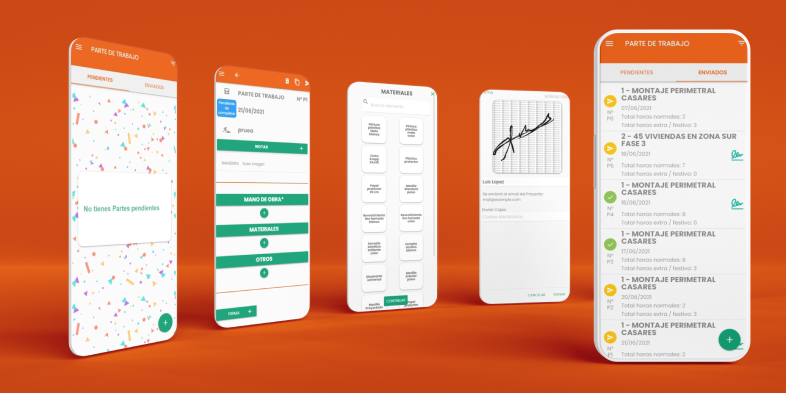
Maintenance Software and App for Municipalities and Public Works Crews

Credentials of our CMMS software

MAINTENANCE SOFTWARE FOR MUNICIPALITIES

What is maintenance software for municipalities?

Essential modules for managing city maintenance

Roadmap: How to digitize your municipality in 5 steps?

1. Design a simple municipal work report using our guides.

2. Pilot the app with your most tech-savvy crew and teach them the mobile process.

3. Check that hours and photos are exported correctly to the office.

4. Evaluate real adoption and ease of use in the field.

5. Extend it to all municipal departments.

Taking advantage of Kit Digital and Kit Consulting grants to drive this process at no cost to public funds.

Start today without risk

Work order app

Create, assign, schedule and coordinate work orders, notices, incidents or tasks.

New order Client Team Assigned Planning 09 High Team Today Linked report Work orders List 12 OT-1483 In progress Create Complete
Work orders Pending In progress Completed OT-1482 Maintenance ALTA OT-1483 Incident TECHNICIAN 8 closed Order detail High priority Planned start Assigned

Generate work orders

With this work order app you can create work orders, set the work order type, planned start and end dates, priority, and attach documents such as PDFs, Word files, images, and more.

Generate work orders

With this work order app you can create work orders, set the work order type, planned start and end dates, priority, and attach documents such as PDFs, Word files, images, and more.

The technician receives the notification instantly

When accessing the app, the user assigned to the work order can review every detail of the assigned job.

09:41 itcons.app now New order assigned OT-1483 · Incident notice Instant notification New order assigned
Work orders Pending In progress Completed OT-1482 A OT-1485 M OT-1483 OT-1487 ! OT-1479 OT-1480 Linked reports WORK REPORT WORK REPORT WORK REPORT WORK ORDERS 1 PENDING List ✓ • •

Real-time tracking

As an itcons.app site administrator, you can always know the current status of every work order.

Work report

Work orders, as the previous assignment of the job, are completed with at least one work report template, so the assigned user can report and document the work finally carried out.

Daily report Pending de completar N° P56 Linked work order OT-1483 · Incident · Assigned NOTES Work details Report Linked OK Work reported

Create a work order plan

Schedule recurring work orders so they are created automatically every day, month or year.

Get reports and queries

Generate PDF reports with a summary of completed actions and download all information collected during the work.

Customize the workflow

Create different work order types and assign a work report template to each type. This way the user does not have to choose, for example, between a preventive review template or an incident work report template; it loads automatically according to the order type.

Manage your company from these three modules

Modules can be enabled or disabled from the site settings and work together as an integrated flow

Work reports →

Report on completed work

Report work based on predefined work report templates. This module is the foundation of itcons.app and contains the information completed or prepared in the field by users working outside the office. They can fill it in after the job or during the working day, using the Android or iOS app or the web.

Absence, vacation, sick leave and leave management →

Control over days not worked

This module manages available vacation balance, absence requests and approvals, and provides a clearer view of absence days while reducing the time spent on this process.

Este módulo puede enabled or disabled.

Work order management and assignment →

Previous work assignment

This module is used to create and manage incidents, maintenance jobs, work orders and more. From the office, work orders are created and assigned to the users responsible for carrying out the job; once the work is done, the user fills in a work report that is integrated with the work order.

Este módulo puede enabled or disabled.

Benefits of using a work order app

It helps companies manage and track their work orders more efficiently. Some of the main benefits of using a work order app are:

First, it can improve efficiency and productivity by automating the process of creating and managing work orders. Employees can create and submit work orders online, reducing manual work and speeding up job management.

Second, a work order app can improve communication between employees and customers by allowing customers to track order status and receive real-time updates. This can improve customer satisfaction and loyalty.

Third, it can reduce errors and misunderstandings by allowing accurate entry of work order details and ensuring that specific customer requirements are met.

Fourth, a work order app can help companies better manage inventory and track costs associated with work orders, improving profitability and reducing unnecessary costs.

In short, a work order app can offer many benefits to companies, including greater efficiency, better customer communication, fewer errors and costs, and better inventory management.

Work report software and app for construction and site work

Credentials of our CMMS software

WORK REPORT SOFTWARE FOR CONSTRUCTION

What is a work report app for construction?

Roadmap: how to digitize site reports in 4 steps

1. Launch a pilot on one site:

2. Validate the data in the office:

3. Evaluate the field experience:

4. Roll it out to every crew:

Start today without risk

Pricing for work reports, work orders and absences.

We offer a wide range of usage plans for different needs. In itcons you can combine different plans within your company so each team has the right option. Check the table and find yours.

No lock-in. Cancel whenever you need.

* Annual payment, prices excluding VAT and one usage plan per user

Basic usage plan

€0.00 plan/month


  • 20 work reports per month
  • Unlimited work orders
  • Time tracking
  • Unlimited absences
  • See more features
Start

Advanced usage plan

€4.59 plan/month*


  • 40 work reports per month
  • Unlimited work orders
  • Time tracking
  • Unlimited absences
  • Calendar view
  • Kanban view
  • Map view
  • See more features
Try

Pro usage plan

€9.19 plan/month*


  • Unlimited work reports
  • Unlimited work orders
  • Time tracking
  • Unlimited absences
  • See more features
Try

Need more than 30 advanced or pro plans? View Business Plan

* Monthly payment, prices excluding VAT and one usage plan per user

Basic usage plan

€0.00 plan/month


  • 20 work reports per month
  • Unlimited work orders
  • Time tracking
  • Unlimited absences
  • See more features
Start

Advanced usage plan

€4.99 plan/month*


  • 40 work reports per month
  • Unlimited work orders
  • Time tracking
  • Unlimited absences
  • Calendar view
  • Kanban view
  • Map view
  • See more features
Try

Pro usage plan

€9.99 plan/month*


  • Unlimited work reports
  • Unlimited work orders
  • Time tracking
  • Unlimited absences
  • See more features
Try

Need more than 30 advanced or pro plans? View Business Plan

Calculate the price of your usage plans

Use our plan calculator to get a tailored estimate. Find the right mix of basic, advanced and pro plans based on the number of users and their activity.

Frequently asked questions about plans

Do all users need to be on the same usage plan?

No. You can have as many users as you need on basic plans and only the users who need them on advanced or pro plans.

Do advanced and pro usage plans need to be assigned to each user?

No. If you have an active advanced or pro plan, the software assigns plans to users based on how they use the application.

En mi empresa tengo 2 técnicos que realizan entre 20 y 40 work reports per month, un trabajador eventual que no llega a realizar 20 work reports per month y un supervisor y el gerente ¿Qué planes de uso necesito contratar?

3 planes de uso básico: Trabajador eventual, supervisor y el gerente.
2 planes de uso avanzado: 2 técnicos que realizan entre 20 y 40 work reports per month.

Can I transfer a usage plan from one user to another?

The available advanced and pro plans for a site can be used by one user for 30 days and by another user in the next 30-day period. The software assigns the usage plan based on the actions performed in the application.

Is there any benefit to having at least one advanced or pro plan?

Yes. With at least one advanced or pro plan, all users in your site get kanban, calendar and map views, and you can rename and customize the app colors.

Can I cancel my usage plan at any time?

Yes, you can cancel your plan at any time. There is no minimum commitment.

Can I install itcons on my company server?

Yes, you can request an installation of itcons on your own server. Contact us for more information

Business Plan

Professional onboarding for large teams

Designed for companies with more than 30 advanced or pro plans that need flat-rate pricing, priority support and guided implementation from day one.

Included

  • Advanced usage plan o pro para todos los usuarios incluidos.
  • Flat-rate usage to make costs easier to forecast.
  • Priority support by email, video call and direct phone.
  • Direct follow-up and support during implementation.
  • Opciones avanzadas: multigrupo, personalización de jerga, logotipo en login y acceso con LDAP o Azure AD.

Initial consulting pack

Workflow analysisWe review how you work today and which processes should be digitized first.
Guided setupWe help you prepare the site, permissions, templates and key modules.
Initial data loadWe support the initial data load so you can start with structure.
TrainingInitial session for administrators and usage best practices.

Compare usage plans

Compara las características de cada plan de uso y decide qué planes de uso necesitas y qué cantidad de cada uno de ellos.

Work reportsBasicAdvancedPro
Create work reportsUp to 20 per month per user assigned to the plan
ℹ️

Global limit: if you do not have any Advanced/Pro plan, a maximum of 300 accumulated reports

To increase the limit, subscribe to Advanced o Pro.

Up to 40 per month per user assigned to the planUnlimited per user assigned to the plan
Public links to create reports without a user.❌❌✅
Work reports prellenados❌❌✅
Available to all users
Transcribed audio notesHasta 2030 al mes90 al mes
View work reports✅✅✅
Logo in the PDF✅✅✅
Download as PDF✅✅✅
Download as Excel✅✅✅
List in web and app✅✅✅
Vista Kanban❌✅
Available to all users
✅
Available to all users
Vista Calendario❌✅
Available to all users
✅
Available to all users
Vista Mapa❌✅
Available to all users
✅
Available to all users
GPS recording in time field✅✅✅
Signature tracking view✅✅✅
Report template gallery✅✅✅
Edit report templates✅✅✅
Save filters and default filter✅✅✅
Work ordersBasicAdvancedPro
Create work ordersIlimitadas por usuario asignado al planIlimitadas por usuario asignado al planIlimitadas por usuario asignado al plan
View work orders✅✅✅
Logo in the PDF✅✅✅
Download as PDF✅✅✅
Download as Excel✅✅✅
List in web and app✅✅✅
Vista Kanban❌✅
Available to all users
✅
Available to all users
Vista Calendario❌✅
Available to all users
✅
Available to all users
Work order types✅✅✅
Work order reports✅✅✅
Work order type template✅✅✅
Report template gallery✅✅✅
Time trackingBasicAdvancedPro
Create time recordsIlimitadas por usuario asignado al planIlimitadas por usuario asignado al planIlimitadas por usuario asignado al plan
Transcribed audio notesHasta 2030 al mes90 al mes
Pre-filled records❌❌✅
Available to all users
Report hour types, including normal, overtime and weekendbased on an 8-hour workdaybased on an 8-hour workdayoption to adjust expected normal hours for each day of the week
View time records✅✅✅
Logo in the PDF✅✅✅
Download as PDF✅✅✅
Download as Excel✅✅✅
List in web and app✅✅✅
Vista Kanban❌✅
Available to all users
✅
Available to all users
Vista Calendario❌✅
Available to all users
✅
Available to all users
Vista Mapa❌✅
Available to all users
✅
Available to all users
GPS recording and lookup on clock-ins and clock-outs✅✅✅
Customize the standard time record❌✅
With one plan available for 10 users.
✅
With one plan available for 20 users.
Time tracking imputado a proyectos❌✅
With one plan available for 10 users.

✅
With one plan available for 20 users.
Save filters and default filter✅✅✅
Vacations and absencesBasicAdvancedPro
Create and manage absence requestsIlimitadas por usuario asignado al planIlimitadas por usuario asignado al planIlimitadas por usuario asignado al plan
Create absence types✅✅✅
View vacation balance✅✅✅
Close annual balance✅✅✅
Start annual balance✅✅✅
Balance tracking✅✅✅
Create holidays✅✅✅
Vista Kanban✅✅✅
Vista Calendario✅✅✅
OtherBasicAdvancedPro
API or webservice access❌❌✅
Zapier integration✅✅✅
Make integration✅✅✅
Custom development / added featuresAsk usAsk usAsk us

VACATION MANAGEMENT APP

Request and approve vacations or absences in a more efficient way

– – – SIMPLE, DIRECT AND FREE – – –

top-rated itcons software

Install the app

Itcons.app has more than 50,000 downloads and works across platforms.

google play badge ai
work report iOS app
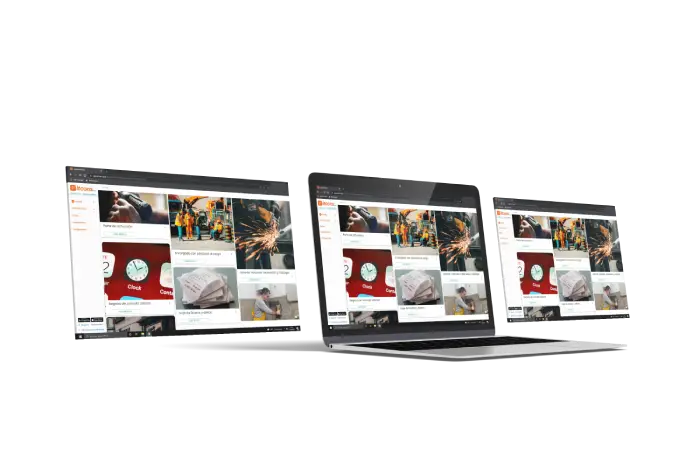
Work report software web access

Vacation manager module user

All my absences and vacations in one place

With the vacation manager, employees manage all information related to their absences from one place, without filling out paper forms, spreadsheets, or handing in physical documents. The entire workflow is fully digital.

Users can:

  • View the company calendar with the assigned public holidays.
  • Check vacation balances or available days, including the details that justify the resulting balance.
  • Export the balance details to Excel.
  • View the balance report to see requested days, approved days, and available balance.
  • Create absence requests quickly from the app or the web.
  • Attach images, such as sick leave documents, to requests.
  • Receive in-app notifications when the request status changes.
Absences Vacation balance available 14.5 days › SENT ACCEPTED N° A142 Vacation 24/06/2026 – 28/06/2026 Working days: 3 › N° A141 Common illness 10/06/2026 – 12/06/2026 Calendar days: 3 › N° A140 Hourly leave 17/06/2026, 09:00 – 13:00 Hours: 4 › ⋮
Balance by person Balance 31 days 28 This year 3 Previous year 12 Accepted days User 02 User · 2026 31 › Balance detail 31 days Absence request -10 From previous year +3

Vacation manager module administrator user

Better supervision and control

The administrator user, or a user with privileges, can manage other users’ absences in addition to requesting their own.

  • Receive a notification for each absence request.
  • Report with each user’s vacation balance.
  • Review the detailed movements in the vacation balance.
  • Close and open new years with public holidays and vacation days for staff.
  • Customize absence types by configuring the review level, notifications, or calculation type.

Companies of all sizes trust us

Vacation manager module user

Different configurations

Within the absence module, you have vacation software to manage employee absences with different absence types:

  • Vacations.
  • Common illness.
  • Work accident.
  • Birth leave.
  • Breastfeeding leave.
  • Wedding leave.
  • Customize and create any type of absence.
Absence types Vacation Configurable rules Rules Active type Deducts balance Working days Review required Notifications Request Calculation · Working days OK Sick leave Rules Hourly leave Rules Custom Rules

The most complete features for managing vacations and absences

gestor ausencias

Absences

vacaciones

Vacation Software

planificador

Calendar management

dashboard

Dashboard

Benefits of a digital vacation manager

Time and effort savings

Process simplification: Employees can submit requests online, eliminating manual processes and paperwork. Administrative efficiency: HR managers save time by centralizing and automating request tracking.

Fewer errors and misunderstandings

Clear visibility: Employees can accurately check their available day balance, minimizing confusion. Accurate requests: The ability to submit detailed requests supports fair and consistent decisions.

Greater transparency and communication

Advance planning: With real-time information, employees can organize their vacations more effectively. Fast updates: The platform lets management quickly communicate any changes to absence policies.

Increased productivity

Focus on key tasks: By reducing time spent on administrative tasks, employees can focus on their daily work. Organized work environment: Digital management contributes to a more efficient and coordinated workplace.

Manage your company from these three modules

Modules are enabled or disabled from the site settings and work together in an integrated way.


Work reports →

Report on completed work

Report work based on the defined work report templates. This module is the foundation of itcons.app and contains the information filled in or prepared in the field by users working away from the office. They can complete it after finishing the job or during the workday, from the Android or iOS app or from the web. You also get an automatic daily work report PDF.

Absence, vacation, sick leave and permit management →

Control over non-working days

This absence software manages available vacation balances, absence requests and approvals, helping you understand absence days more efficiently and reduce the time spent on this management.

This module can be enabled or disabled.

Work order management and assignment →

Prior assignment of work

This module is used to create and manage incidents, maintenance tasks, work orders, and more. From the office, work orders are created and assigned to the user or users responsible for carrying out the work. Once the work is completed, the user fills in a work report and it is integrated with the work orders.

This module can be enabled or disabled.

WORK REPORT APP

Save time and improve your processes with itcons.app: cloud-based digital work reports.

  • Choose and edit a template and complete any type of work report in the cloud
  • Manage maintenance more efficiently with the work orders module
  • Manage absences in your company, from requests to leave balances and vacation summaries
Capturas de pantalla app partes de trabajo
App partes de trabajo


software mejor valorado itcons

Install the app

Itcons.app has more than 50,000 downloads and works across platforms.

google play badge ai
app ios partes de trabajo
Software partes de trabajo acceso web
From paper to app

Work reports stop getting lost on paper and start moving in real time.

ALB-0243
WORK REPORT
Date · Technician · Customer
Customer
Job site
Hours
customer signature
Manual
Daily work report
Pending submission
24/03/2026
Active project · Assigned technician
Workday Add hours worked
Work performed Record tasks and notes
Materials Add materials and resources
Photos
Notes
Send and sign
Digital signature
Report sent
★★★★★

Install the app

Itcons.app has more than 50,000 downloads and works across platforms.


Ready-to-use work report templates

Choose from dozens of work-hour report examples from the template gallery, configure them to your needs, and have work reports ready to fill in according to your company requirements. You can create as many templates as you need.

Template gallery de work report
deja el paper atras pasate a itcons 3

Break away from paper. Move to itcons.app

Create and send work reports quickly and easily

A simplified experience so mobile users only need to fill out work reports clearly and easily using the plantilla de work report.

How to fill in and send a work report ⮕

What our customers say

Work reports

A work report is a document that lets people in an organization add business information to the company management system. It usually groups the tasks or work completed during a workday.

How to create a report template ⮕

View work report examples ⮕

Service report

In itcons.app you can create a service report as a report template. Link this template to the type of work order you need. Service reports are useful for maintenance and installation companies.

Time tracking

Time tracking records attendance during a workday. You can turn your work report template into a time tracking system by adding time fields, such as clock-in and clock-out, and optionally GPS location to know the exact place and time of each entry.

Time tracking laboral⮕

Design any template

With the editor, you can design any type of work report template, delivery note template y custom delivery notes, service reports, and checklists.

Diseña y crea partes de trabajo reportes y albaranes
design and create work reports, reports, and delivery notes

View more work report templates ⮕


Template editor

Create work report templates that fit your company

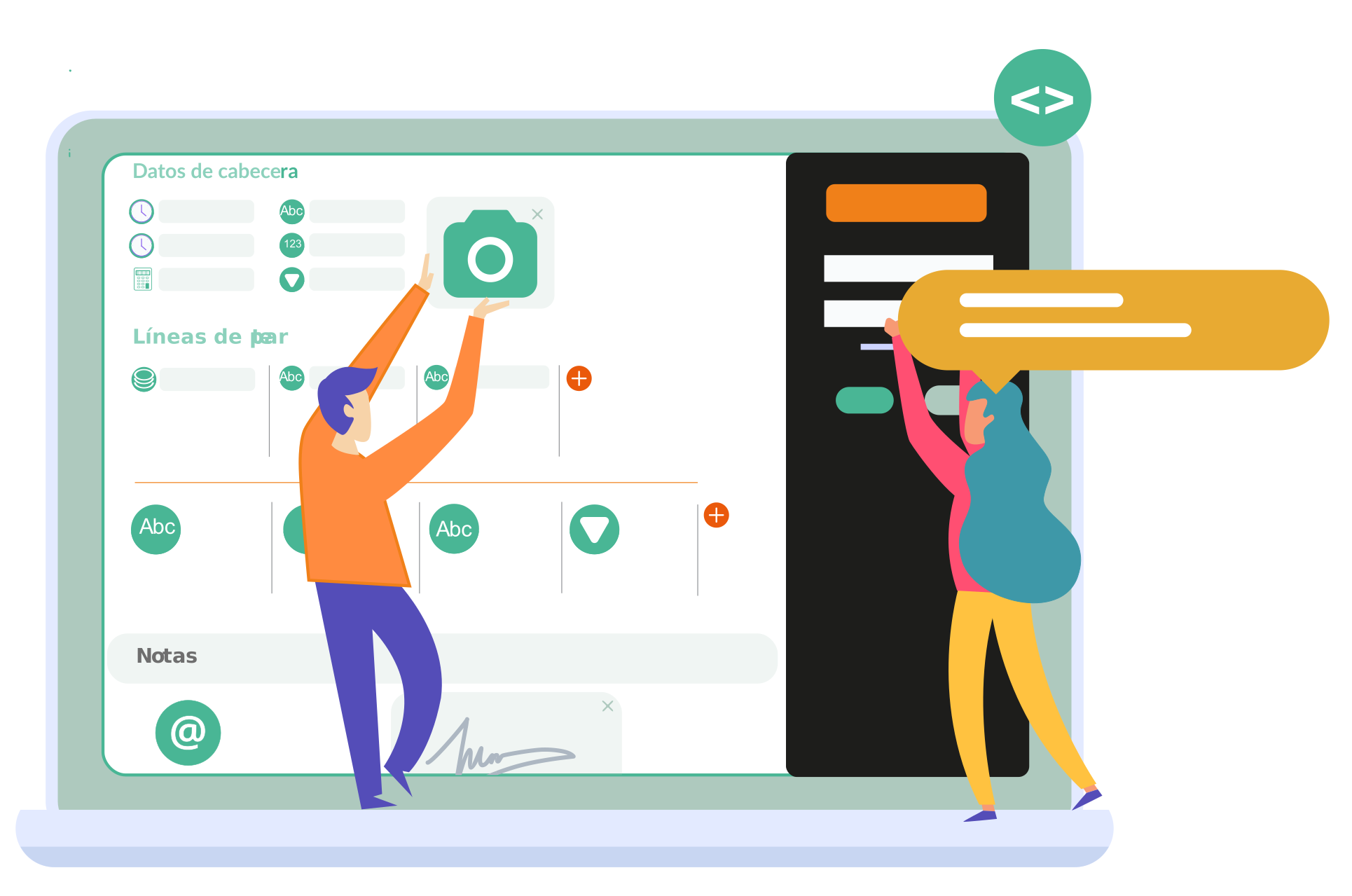
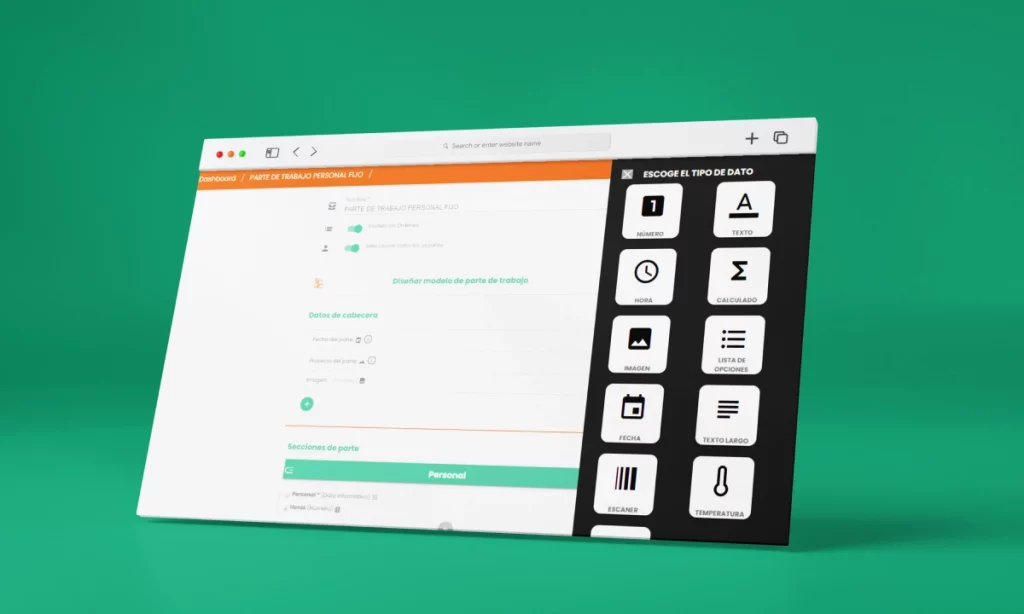
Configure the work report template with the fields your company really needs and combine different data types in a single editor.

Time

Create as many time fields as you need, configure GPS location capture, and choose whether time works in 15-minute intervals or minute by minute. Learn more about time fields

Options list

You can create dropdowns with the options you need. These lists can be fixed elements defined in the report template or dynamically updated as resources. Options list

Date

You can add a date field to record dates in a work report. In any case, all itcons.app work report templates include a default date field to indicate the date the submitted report refers to. Learn more

Images

Add images to your work reports and record graphic evidence for all work or documents to be delivered.

Location

In itcons.app you can enable geolocation for each time field. This lets you know the actual time and location where a time entry was recorded.

And many other data types

In addition to the fields above, you can combine other data types to adapt the digital work report to your company workflow and each type of service.

Extra settings

Enable work report signatures, make them mandatory, limit reports to one per day, user, and project, share a work report, and more.

Design report template
Header data
Date del registro Date
Report project Options list
Clock-in ⌖ Time
Clock-out ⌖ Time
Photo evidence Image
Report sections
Work details
Notes Long text
Customer signature Required
J. Pérez
Templates you can create

What type of document can I design?

Service report

Create a service report as a report template and link it to the type of work order you need for maintenance, installations, and technical interventions.

OT

Time tracking

Add time and GPS fields to record clock-ins, clock-outs, and location, and turn your template into an employee time tracking system.

08:00 Clock-in + GPS
17:30 Clock-out + GPS
Integrated modules

Manage your company from these three modules

Modules can be enabled or disabled from site settings and work together in an integrated way.

Work reports Absences Work orders
Work reports →

Report on completed work

Report work based on the defined work report templates. This module is the core of itcons.app and captures the information entered or prepared in the field by users working away from the office.

Users can fill it in after the work is complete or during the workday, from the Android app, iOS app, or web. You also get an automatic daily work report PDF.

Absence, vacation, sick leave, and permit management →

Control over non-working days

Este módulo sirve para la gestión del saldo de vacaciones disponible, la solicitud y aceptación de absences y para poder conocer de una forma más óptima los días de ausencia y reducir el tiempo dedicado a esta gestión.

This module can be enabled or disabled.

Absences, vacaciones, bajas y permisos

Work order management and assignment →

Prior assignment of work

This module lets you create and manage incidents, maintenance tasks, and work orders. From the office, work orders are created and assigned to the users responsible for carrying out the work.

Once the work is completed, the user fills in a work report and it is linked to the work orders. This module can be enabled or disabled.

Work orders

OT-204
OT-205
Assigned
editor de modelos de work report en digital

Create work report templates that fit your company

Time

Create as many time fields as you need, configure GPS location capture, and choose whether time works in 15-minute intervals or minute by minute. Learn more about time fields

Options list

You can create dropdowns with the options you need. These lists can be fixed elements defined in the report template or dynamically updated as resources. Options list

Date

You can add a date field to record dates in a work report. In any case, all itcons.app work report templates include a default date field to indicate the date the submitted report refers to. Learn more 

Images

Add images to your work reports and record graphic evidence for all work or documents to be delivered.

Location

En itcons.app puedes activar la geolocalización en cada dato del tipo hora. Así por ejemplo conocer a que hora realmente se ha registrado un dato hora y desde que ubicación.

Y otros tipos de datos más

En itcons.app puedes activar la geolocalización en cada dato del tipo hora. Así por ejemplo conocer a que hora realmente se ha registrado un dato hora y desde que ubicación.

Extra settings

Enable work report signatures, make them mandatory, limit reports to one per day, user, and project, share a work report, and more.

Useful for every
company size and structure

From small businesses to large companies, each one with its ideal Itcons setup

How to create and send a work report⮕

Thanks to its configuration options and work report template editor, itcons.app can be used across different industries and CMMS maintenance, even for different purposes within the same industry.

In terms of company size, itcons.app is used by freelancers, microbusinesses, and large companies. Each company size requires a different setup or benefits more from certain features. Ask our support team about your ideal configuration.

Frequently asked questions

Our support team is always available to answer any questions. Here are the most common questions from companies.

Can I use itcons.app for free?

Itcons.app includes a basic plan that lets you use the platform without subscribing to a paid plan. This plan is designed for occasional work records or even for using itcons.app only as an absence management system. View usage plans.

Can I use itcons.app without commitment?

Yes. You only need to create a site to try and test it for as long as you need and with the users you require.

How do I implement itcons.app in my company?

It is hard to answer without knowing the specific case, but at itcons.app we recommend this roadmap:

  1. Create a first version of your report template. Define the work report template, keeping in mind that entering data on paper is not the same as using an app. Minimize the information the user must enter and maximize the value of the data recorded in the app. Create a first version of your work report template.
  2. Validate or pilot the designed template. Share the design with your colleagues, create users for them, and invite them to fill it in. If you can test it for a few days with real activity, even better.
  3. Check that the recorded information is what you need. Export the data to Excel or call the API and check that the extracted data is sufficient.
  4. Evaluate the pilot experience. Analyze the experience from data entry to export, including work report status management, and gather feedback.
  5. Roll out usage vs. adjust. After evaluation, analyze whether the usage flow and recorded data are correct. If not, adjust the configuration by editing the report template or permissions.

You can rely on itcons.app support at all times to reach the ideal configuration.

What is a work report?

A report is a document that records an action. A work report specifically contains the details of work performed during a workday, maintenance task, or service intervention. Each company organizes cost and production control differently, so each company can adapt the work report design to its specific needs.

What documents or work reports can I design?

You can design practically any type of document. The template gallery includes predefined templates you can choose and use as they are or edit. You can also create a work report template from scratch, and the itcons.app support team can help you design it.

Can I use only the absences module?

Yes. You can use only the absences module to manage vacation, sick leave, and permits. You can even have some users creating reports or time records and other users only managing absences and vacation.


Do you have specific requirements?

Contact us to receive a proposal tailored to your company


EXAMPLES

Install Itcons.app in Zapier

Install Itcons.app in Make

Create projects

Create and update projects in itcons from external events in your management or accounting application.

Receive work reports

Receive raw work report information automatically pushed into your accounting system.

Create users

Create a user in itcons when registering them in your corporate email platform.

Complete work orders

Complete work orders in your CRM when they are completed in itcons.

Email support

mail

Start a webchat

chat

Other options


To contact us

Phone: +34 910 60 50 96

Email: [email protected]

Read the user manual

Itcons.app Partes de trabajo, Órdenes de trabajo y ausencias